
Module groups in GovPilot allow administrators to set up shared permissions for a collection of modules and easily apply those settings to multiple users. Instead of assigning access module-by-module for every user, you can define the access once in a group, then assign users to that group.
Steps to Create a Module Group
-
From the Home page, click the gear icon in the top right corner to go to Account Settings.
-
In the left-hand panel, click User Role Management.
-
At the top of the page, select the Module Management tab to see a list of existing module groups.
-
Click the Add New Group button to open the module group setup window.
-
Give your group a meaningful name (e.g., “Code Enforcement” or “Clerks Office”).
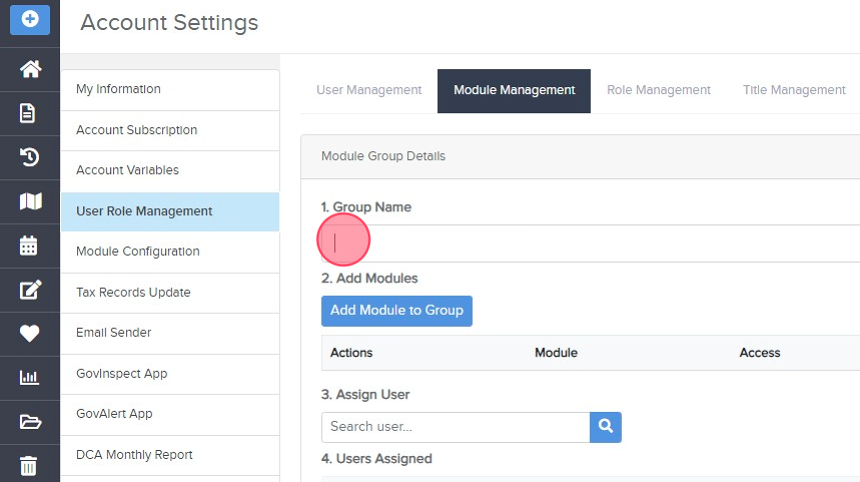
- Select a module to add from the dropdown.

- Set the main data access type.

- Specify related tables and their specific access types.

- Define access for forms, prints, and reports as needed.
- Save the module setup by clicking "Ok".

Repeat the process for every module you want to include in the group. -
(Optional) Assign Users
Use the search bar to search for a user's name or email address.
- Once you've selected a user, they will appear in green in the "Users Assigned" section. (Click on the corner "x" to remove the user.)

- When you're satisfied with all the group settings, click the "Save" button to save the new group (or "Cancel" to abandon).


Best Practices
-
Name clearly: Choose group names that reflect their purpose or department.
-
Avoid redundancy: Check if a similar group already exists before creating a new one.
-
Use groups for onboarding: Preconfigured groups speed up user setup for new hires.
Additional Resources
- Video: Manage Module Groups
- Course: Module Group Management
Related search terms:
create module group, permission group, user access group, set module access, group-based permissions, new module group, configure permissions, govpilot admin, manage module group, account settings